HTB-Unit42
Sherlock Scenario:
In this Sherlock, you will familiarize yourself with Sysmon logs and various useful EventIDs for identifying and analyzing malicious activities on a Windows system. Palo Alto’s Unit42 conducted research on an UltraVNC campaign, wherein attackers utilized a backdoored version of UltraVNC to maintain access to systems. This lab is inspired by that campaign and guides participants through the initial access stage of the campaign.
Beginning the Investigation:
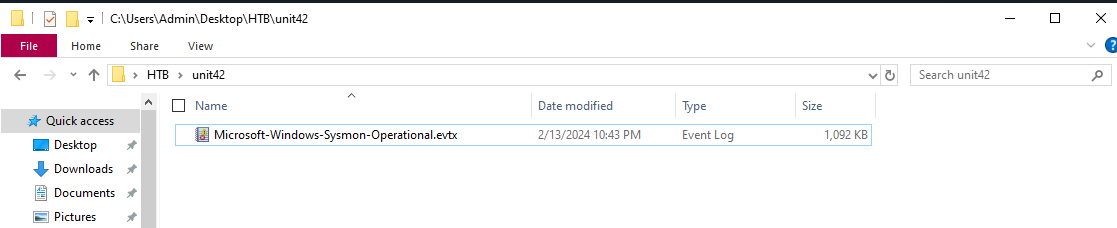
First I download the provided unit42.zip file, move it over to my Flare VM, and unzip it with the provided password. hacktheblue. I am then presented with a Microsoft-Windows-Sysmon-Operational.evtx file.
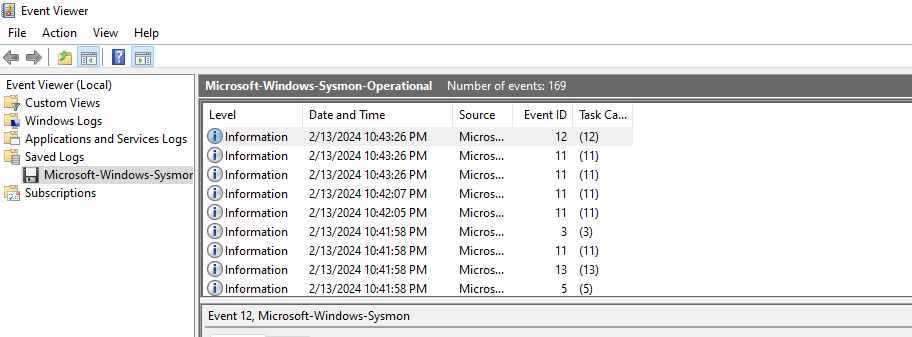
Double clicking it opens it in Windows EventViewer, where it is likely the majority of this exercise will be conducted. Right off the bat, I can see this file contains 169 events.
 From here, I am tasked with the following 8 questions.
1. How Many Event Logs are there with Event ID 11?
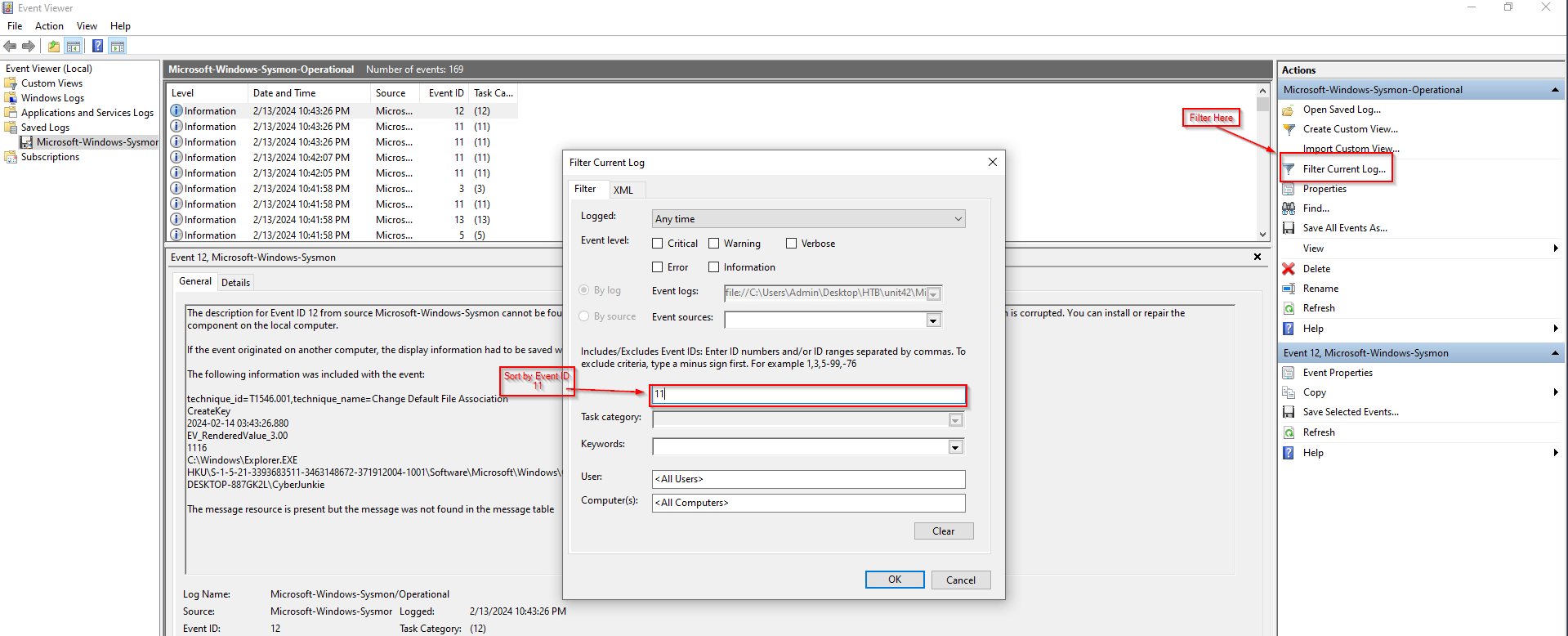
This is nice and easy to start with. I just use the “Filter Current Log” option over on the right, and sort by Event ID 11:
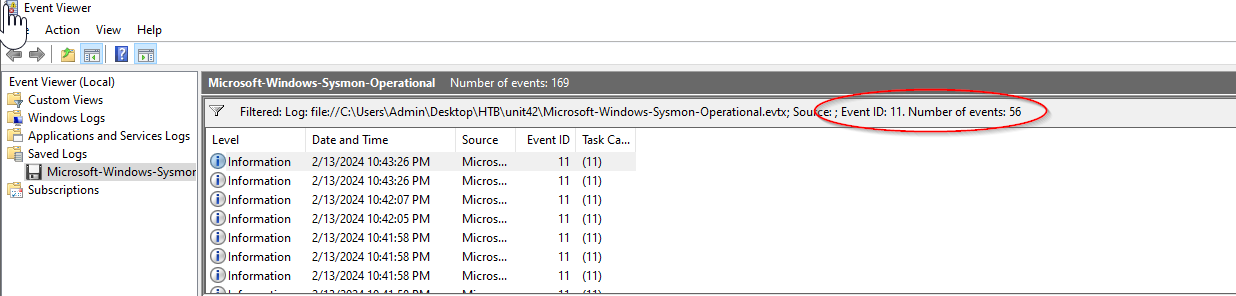
I can then see there are 56 total events:
2. What is the malicious process that infected the victim’s system?
Whenever a process is created in memory, an event with Event ID 1 is recorded with details such as command line, hashes, process path, parent process path, etc. This information is very useful for an analyst because it allows us to see all programs executed on a system, which means we can spot any malicious processes being executed.
This being said, I am going to filter on Event ID 1. Doing so gives me 6 results, which I will comb through manually. The second result seems to give an interesting clue:
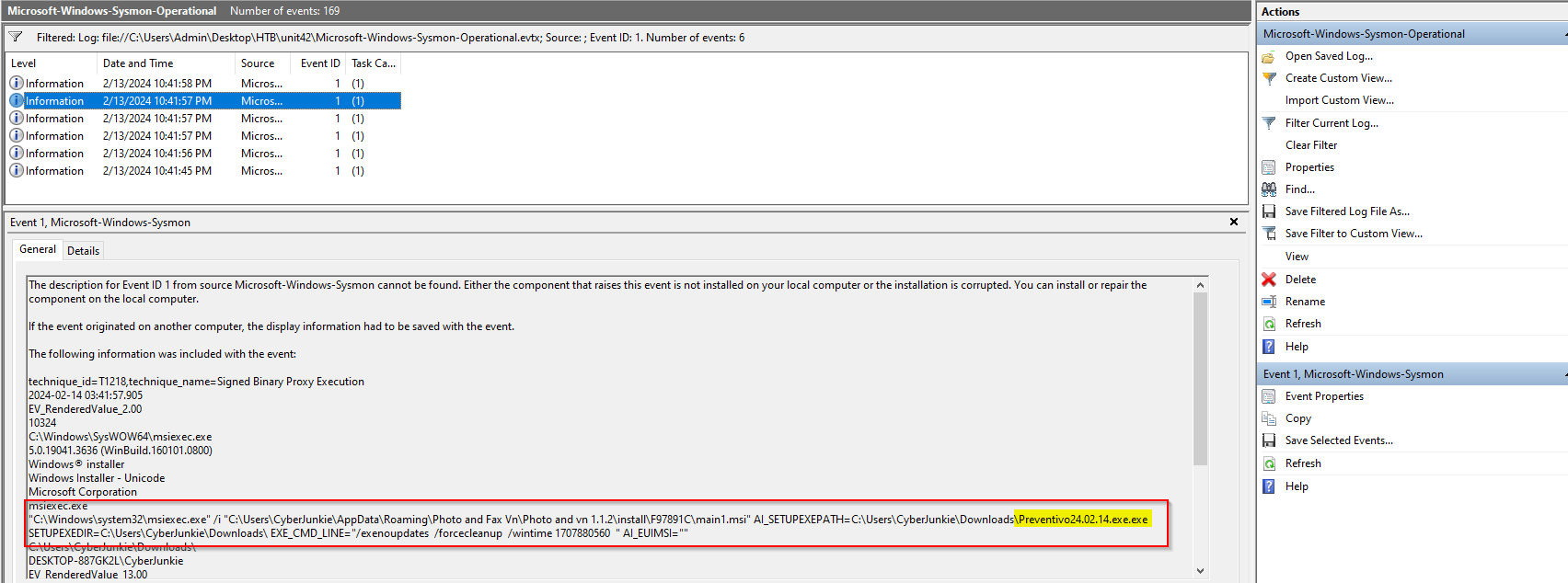
Quite frankly, that whole command looks suspicious, but the Preventivo24.0.2.14.exe.exe really sticks out to me. Exploring a little further, I see the executable appear in the 5th result, including it’s full file path and several identifying hashes.
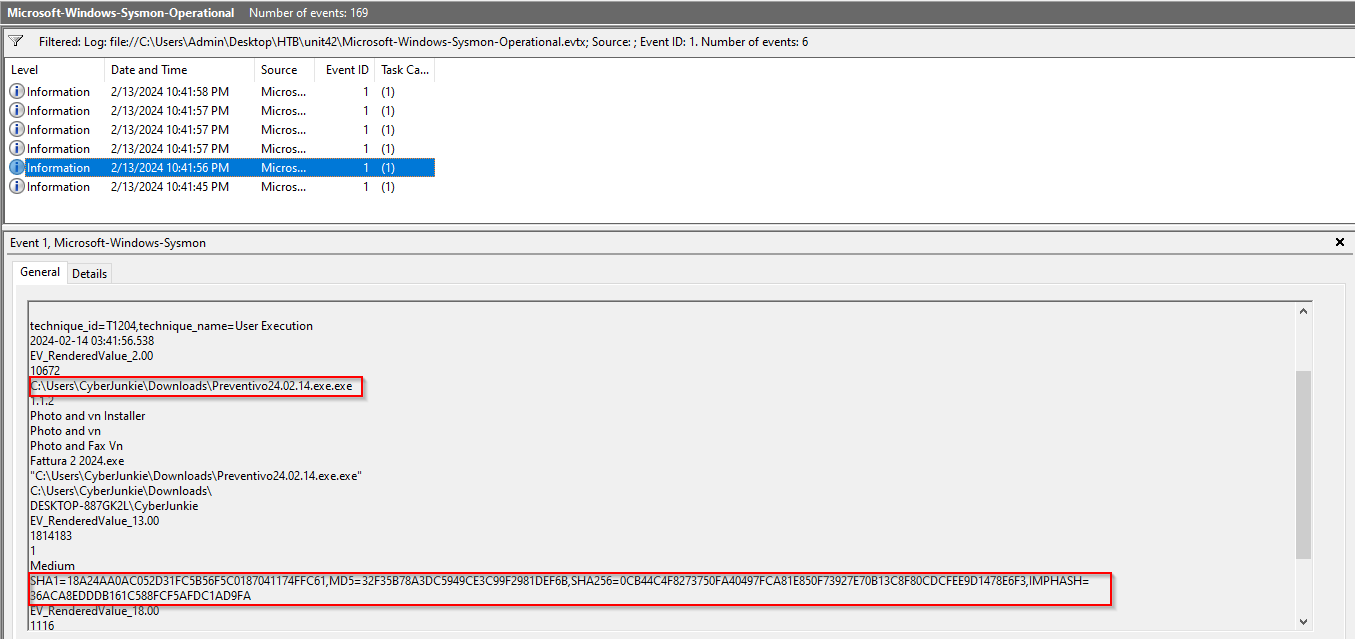
Copying the SHA1 value of 18A24AA0AC052D31FC5B56F5C0187041174FFC61, and dropping it into VirusTotal seems to confirm this is the malicious process we are looking for. Note that the VirusTotal result actually displays the SHA256 hash, which is also included in the event log.

3. Which Cloud drive was used to distribute the malware?
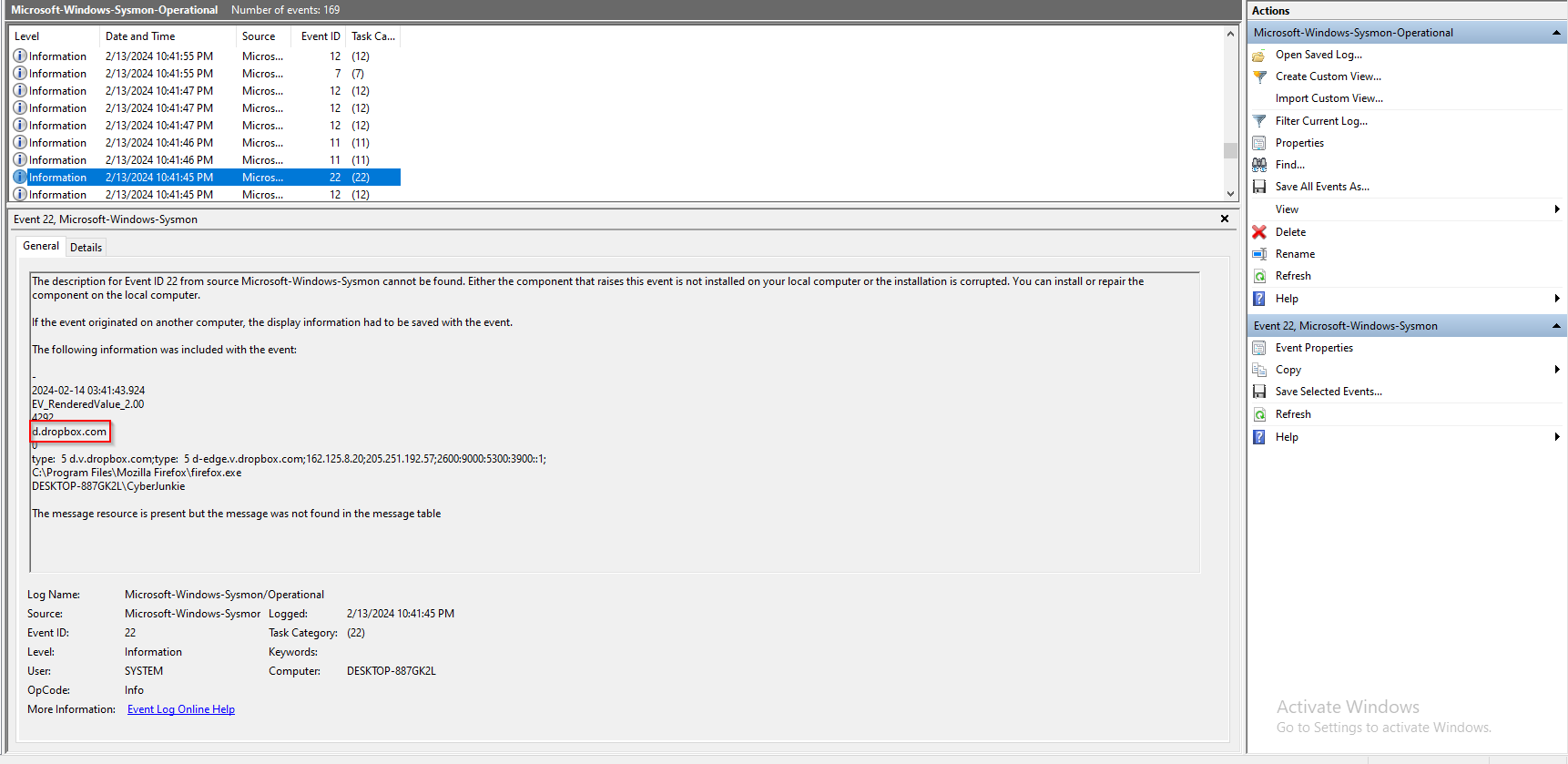
Sysmon Event ID 22 can be used to analyze DNS queries made by the system. If I combine this with the knowledge of the malware execution, I can likely discern where it was downloaded from by using temporal proximity, or the closeness in time of the two events. Searching for an Event ID 22 prior to execution, we find DNS queries to Dropbox, which would align with the question being asked.
4. For many of the files it wrote to disk, the initial malicious file used a defense evasion technique called Time Stomping, where the file creation date is changed to make it appear older and blend in with other files. What was the timestamp changed to for the PDF file?
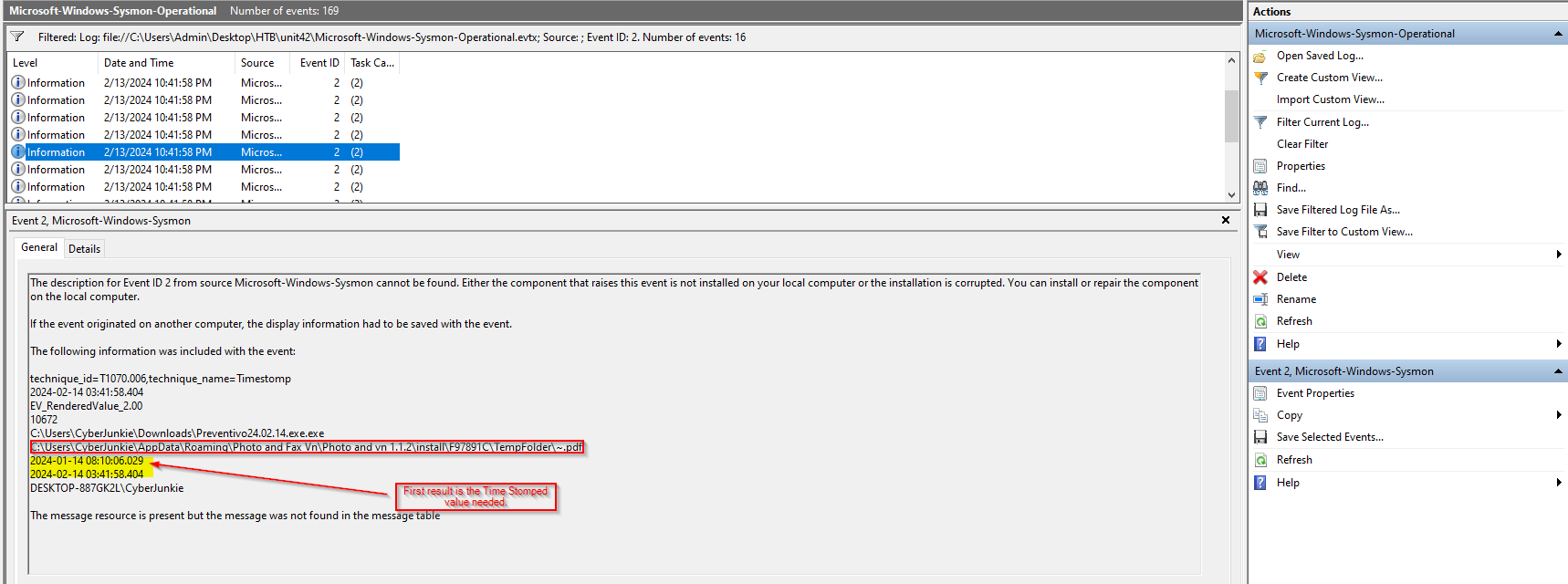
Time Stomping can be identified by Event ID 2. Simply filtering the events by Event ID 2 produces 16 results. Scrolling through them all, there is only 1 that mentions a .pdf file, so this must be the log I need.
5. The malicious file dropped a few files on disk. Where was “once.cmd” created on disk?
Event ID 11 is used for “File Creation” operations, so I will filter on that and simply use the “Find” tool to search for .cmd, and choose the log with the malicious executable as the parent.
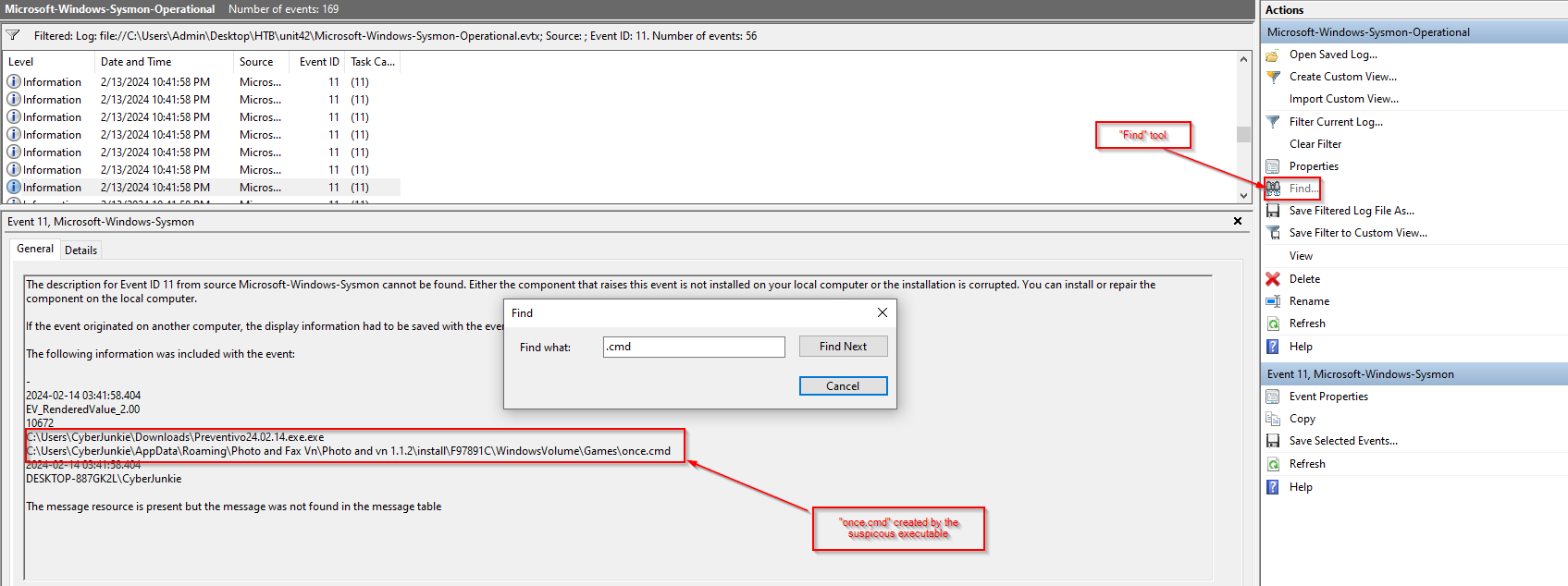
6. The malicious file attempted to reach a dummy domain, most likely to check the internet connection status. What domain name did it try to connect to?
As previously mentioned in question 3, Event ID 22 logs DNS queries, so I’ll filter on that again and look for the process name matching my suspicious executable. 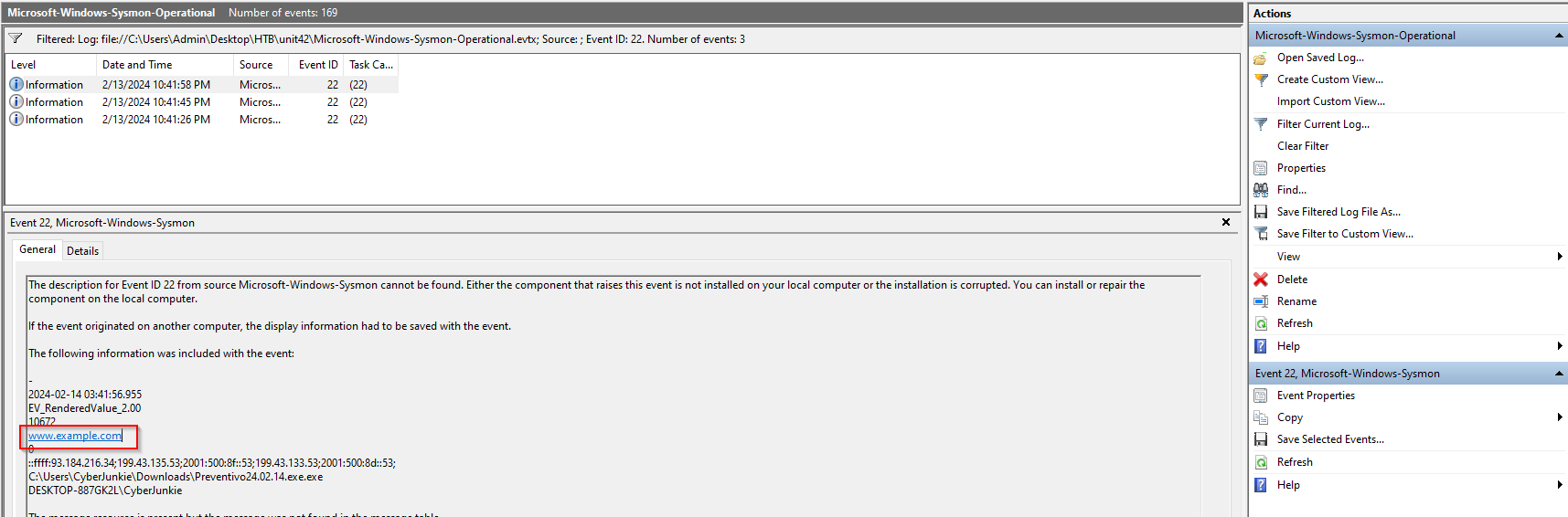 Of the 3 results available, this one containing “example.com” seems like the dummy domain to me.
7. Which IP address did the malicious process try to reach out to?
This can be found by filtering on Event ID 3, which is the Event ID for Network Connections. Filtering on this only results in one log, which should make finding the answer pretty easy.
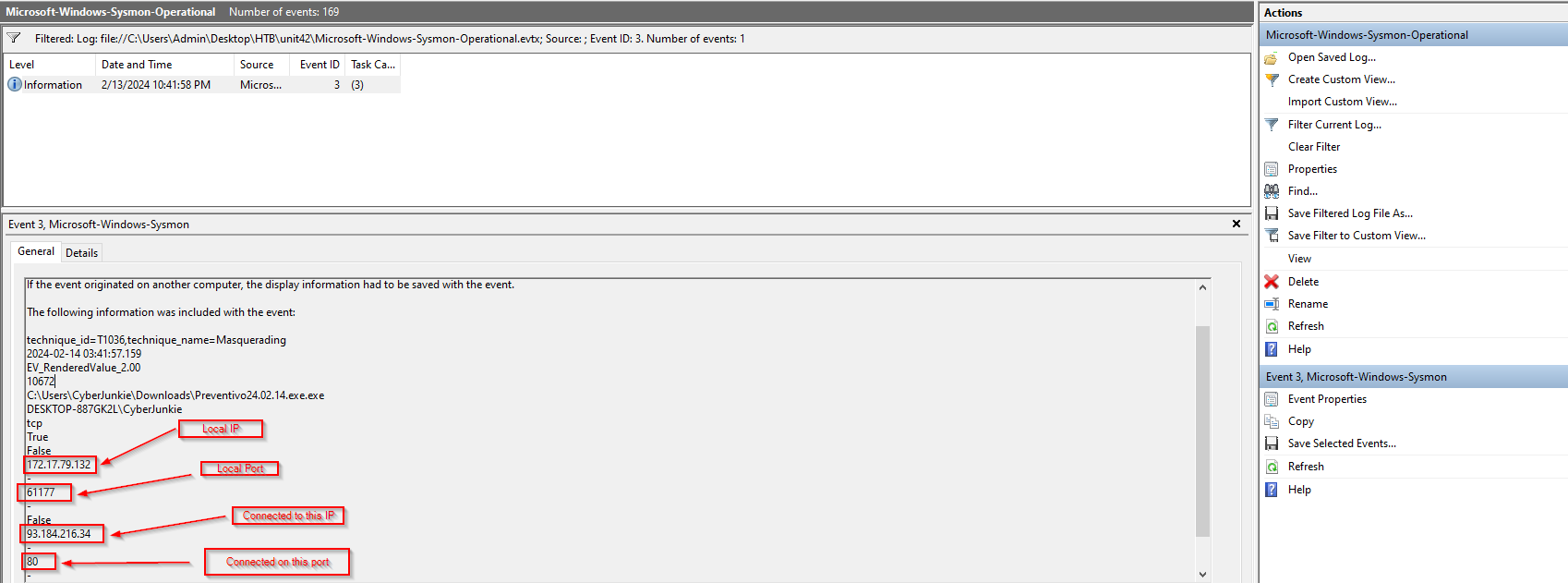
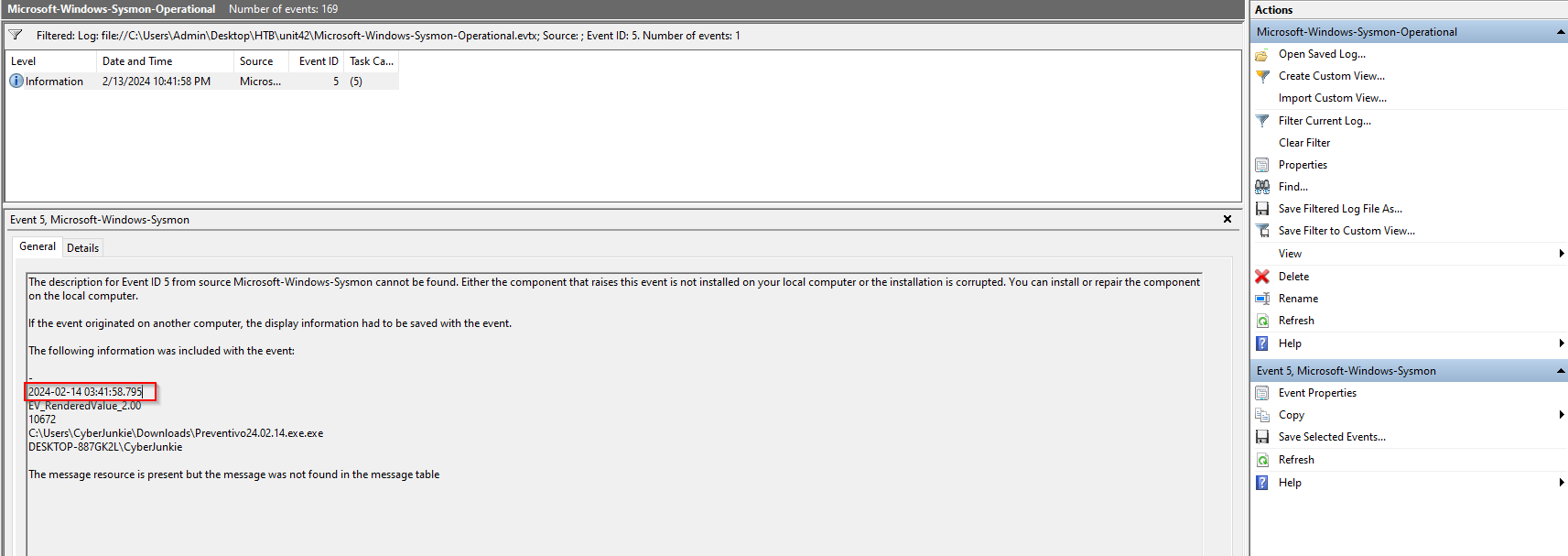
8. The malicious process terminated itself after infecting the PC with a backdoored variant of UltraVNC. When did the process terminate itself?
Well, process termination is recorded with Event ID 5, so I’ll filter on that. Once again, there is only a single result.
Afterthoughts:
This challenge provides a realistic look at digital forensics through the investigation of a backdoored UltraVNC installer. The scenario emphasizes the importance of comprehensive logging—specifically the use of Sysmon—for detecting and tracing malicious activity. By analyzing key Sysmon Event IDs, such as process creation, file writes, and network connections, investigators can piece together the attacker’s actions, from the initial infection vector to post-exploitation behavior. This challenge reinforces how critical Sysmon is in incident response for visibility into system-level events that traditional logging often misses.